
|
Product Details:
|
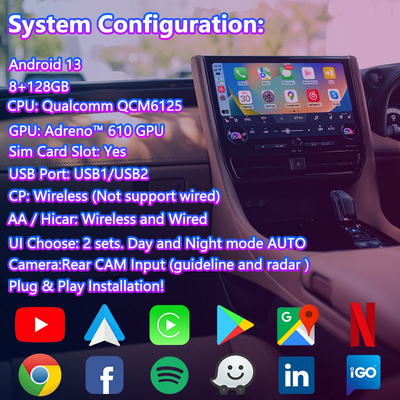
| Car Model: | 2023-Present Toyota Alphard Vellfire 40 Series | System: | Android 13 |
|---|---|---|---|
| RAM: | 8GB | ROM: | 128GB |
| CPU: | Qualcomm QCM6125 | GPU: | Adreno™ 610 GPU |
| SIM Card: | Support | HDMI OUT: | Support |
| Steering Wheel Buttons Control: | Support | Cold Start Time: | 40 Seconds |
| Highlight: | Alphard Navigation Video Interface,Toyota Alphard Multimedia Interface,Toyota Vellfire Android Video Interface |
||
Lsailt Android Carplay Multimedia Video Interface for 2023-Present Toyota Alphard Vellfire 40 Series
| Android Configuration | |
| Resolution | 800X480/1280X480 |
| Display | LVDS Digital(Latest chip) |
| System | Android OS13 |
| RAM: | 8GB |
| EMMC | 128GB |
| CPU Model |
CPU:Qualcomm’s® QCM6125 Quad-core ARM Cortex™-A73, 2.0GHz+Quad-core ARM Cortex™- A53,1.8GHz |
| GPU | Adreno™ 610 GPU |
| WIFI | 2.4G/5G |
| BT | BT5.0 (Support OBD) |
| Video decoding | 4K @30fps (H.264, HEVC, VP8) |
| Carplay | Wireless (Not support wired) |
| Android Auto | Wireless and Wired |
| Hicar | Wireless and Wired |
| Play Store | Support |
| Youtube | Support |
| GPS | GPS/GLONASS/BDS |
| Network | LTE 4G |
| Hardware Configuration | |
| SIM Card Slot : | Yes |
| Navi Sound | Need add small speakers |
| Microphone: | Use original car |
| AV IN: | Support |
| HD-MI Output: | Support |
| Coaxial Output | Support |
| Camera: | Rear Camera (AHD support 720/1080P) |
| USB interface | USB1/USB2 work |
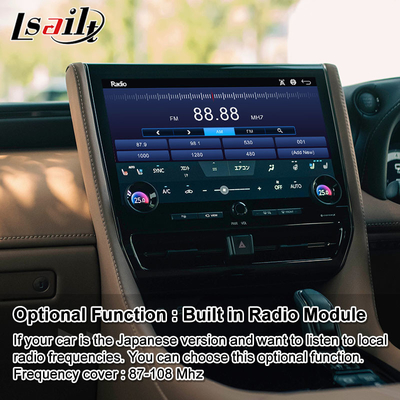
| Radio station | Optional |
| Use Operation: |
Mouse/TouchScreen/TouchPad (Support for Adding Capacitive Touch Screen) |
| Special Function | |
| MCU and APP Update: | Internet updates |
| Cold start Time: | 40 seconds |
| Hot Start: | 6 seconds |
| Sleep: | Support |
| Sleep memory | Remember Last APP in parking |
| Installation Method | Plug and Play |
| Switching Method | |
| Switch Mode: | Use the steering wheel MODE button to cycle through |
| Switch Mode1: | In radio or other screen select AUX automatically switch android |
| Switch Mode2: | Use original car radio or other screen: Long press the off phone button for 3 seconds to switch Android. |
| Switch Mode3: | Use panel media button to cycle through Switch |
| Switch Mode4: | Use original car voice button to call open AUX, automatically switch |
| Switch Mode5: | Use the meter to select AUX to enter automatically |
| Body Multimedia Control | |
| Steering Wheel: | Support up and down song,Hung up,Answer |
| FSDU | Front Maps and Rear video |
| Forced Reset | MODE (Long press 8 seconds) |
| Original Car BT in Android: | Caller ID 10 seconds to automatically return to Android current APP |
| A/C DISP | Support on the Android interface display |
Functions:
Split display and picture in picture is supported.
Questions and Answer:
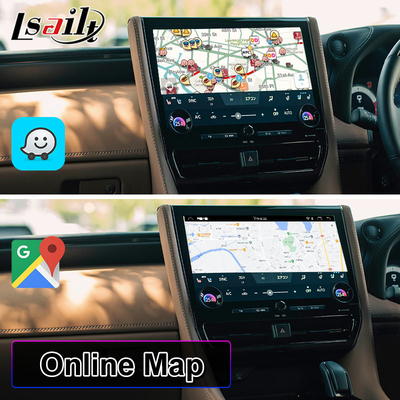
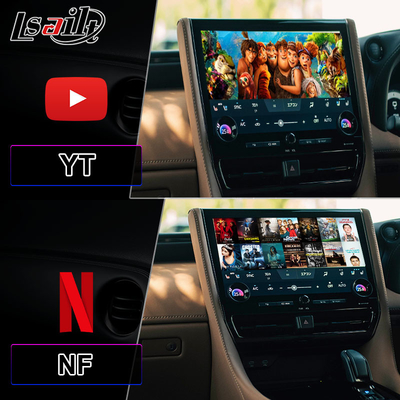
Does this android interface support YouTube Netflix Waze Google map and Waze?
Yes, support.
Does this android interface support connect headrest?
Yes, it have HDMI OUT. Support connect the headrest and rear seat screens. Also support front screen watch maps and rear screen watch video
Is this device compatible with my original camera and 360 camera?
It can compatible with original car rear camera and 360 camera. And also have video inputs for add reverse camera,and 360 panorama cameras.
Does this android interface can support my car?
Please tell us your car in which year and which model? It will be better if you can send us some pictures of your original car radio menu and center screen for confirm.

Contact Person: Wendy
Tel: +8613651430032


 English